Platform Quickstart
To get started on RenderOnNodes, you need to decide if you are uploading files to be rendered, or if you are providing hardware to earn money.
Choose your path below to see exact setup instructions:
- I am an Artist (Rendering)
- I am a Node Provider (Earning)
How to Start Rendering
If you have a .blend file and want to render it using the network:
- Get a Wallet: Install the Phantom browser extension. (See Wallet Setup).
- Login: Go to the RenderOnNodes Portal and click Connect Wallet.
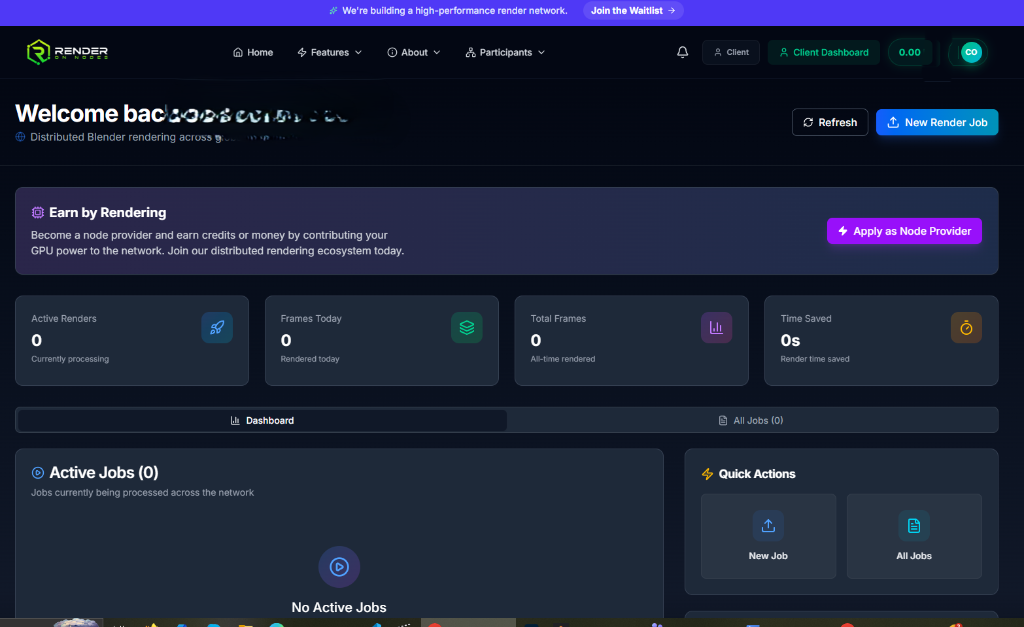
- Submit a Render: On the Client Dashboard, click the bright blue New Render Job button in the top right.
- Track Progress: Watch the real-time telemetry like Frames Today and monitor your Active Jobs ledger directly from the dashboard.
How to Start Earning Provider
If you have a Windows PC with a powerful GPU and want to earn money:
- Get a Wallet: Install the Phantom browser extension. This is where your earnings will be automatically sent. (See Wallet Setup).
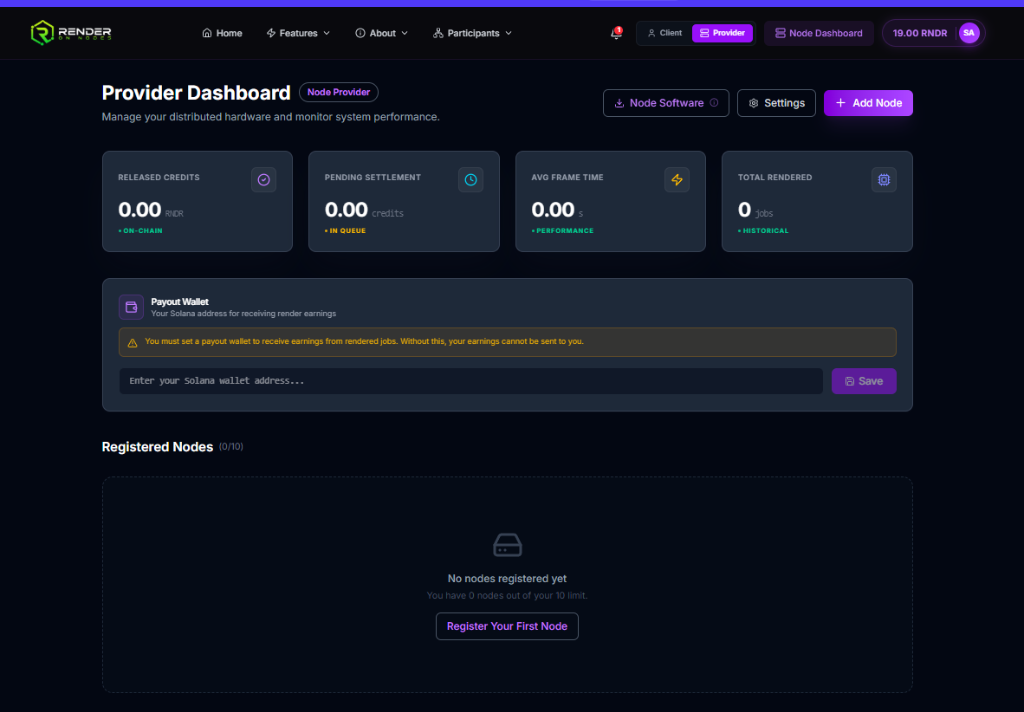
- Login: Go to the RenderOnNodes Portal and toggle to the Provider view at the top.
- Set Payout Wallet: In the large Payout Wallet section, paste your Solana address and click Save. (You cannot receive jobs without doing this).
- Download Software: Click the Node Software button to download the execution agent.
- Add Node: Click the purple + Add Node button to register your machine and start earning.