How Pricing Works: RON & SOL
To use RenderOnNodes, you need to understand two different tokens: RON and SOL.
- RON: This is the token used to pay for the actual rendering process.
- SOL: This is the token used to pay tiny transaction fees to the Solana network every time money moves.
RON (Compute Credits)
RON is the official currency of the RenderOnNodes platform.
- If you are an Artist, you must buy and deposit RON into your account to pay for your renders.
- If you are a Node Provider, you are paid exclusively in RON for the renders your hardware completes.
SOL (Transaction Fees)
Because RenderOnNodes is built on the Solana blockchain, every time you make a transaction (like depositing RON into the platform, or withdrawing it back to your wallet), the network charges a tiny fee (usually a fraction of a penny).
This fee must be paid in SOL.
Funding Your Platform Balance (Depositing)
Once your wallet is installed, you need to deposit RON into your platform account to pay for renders.
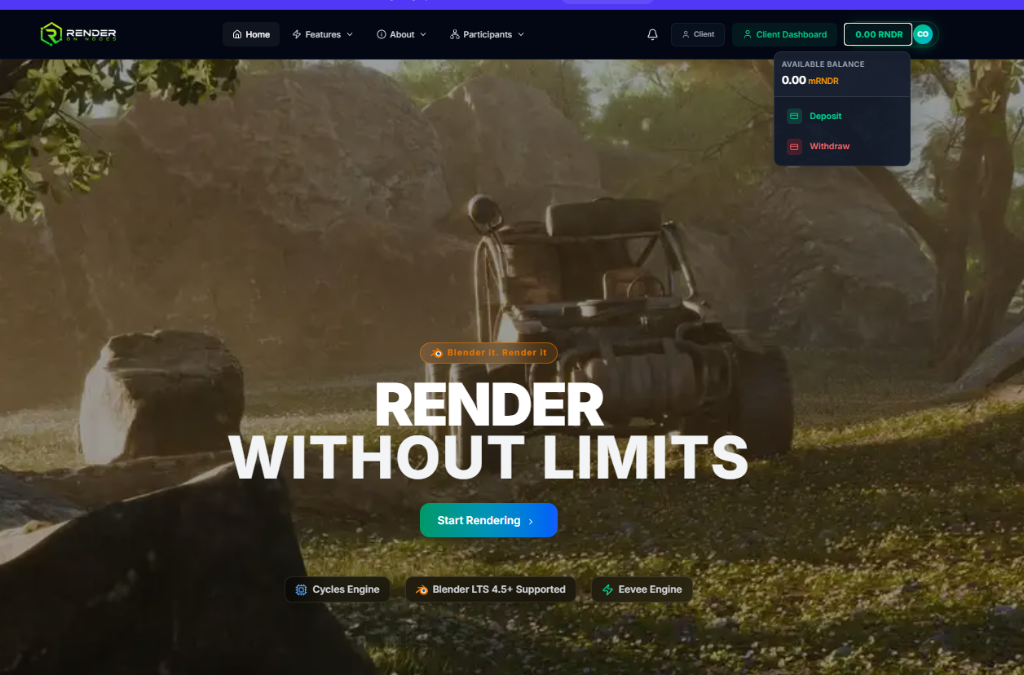
- Locate the Balance Indicator (e.g.,
0.00 RNDR) at the very top right of the navigation bar. - Click the balance to open the dropdown menu.
- Click Deposit.
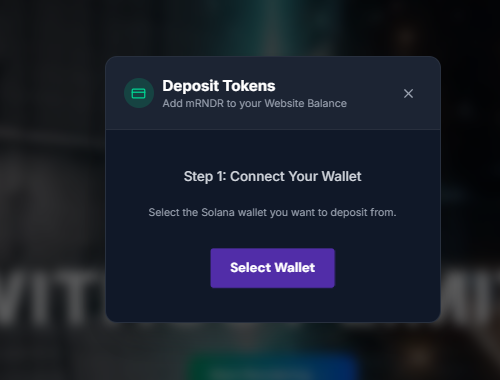
- A popup window will appear asking you to Connect Your Wallet.
- Click Select Wallet and choose your installed wallet (e.g., Phantom).
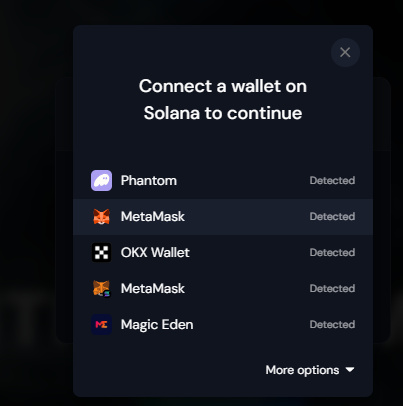
- Approve the connection popup in your Phantom extension to finalize the deposit process.
(The exact same process applies when you wish to Withdraw your earnings back to your self-hosted wallet).
Good News: The platform pays for almost all of this! We pay the fee when you submit jobs and when we automatically pay out Node Providers.
However: You still need to keep a tiny amount of SOL (like $0.50 worth) in your Phantom wallet just to cover the cost of clicking the "Deposit" or "Withdraw" buttons. If you have 0 SOL, your wallet won't let you click the button.
How the Money Moves Safely
You never have to worry about getting scammed on RenderOnNodes.
When an Artist clicks "Submit Render", the system calculates the estimated cost and takes that amount of RON from the Artist, holding it safely in an automated Escrow pool.
- Once the Node Provider finishes rendering the frame, the system automatically releases the money from the Escrow directly to the Provider.
- If the Provider's machine crashes, they do not get paid, and the money safely returns to the Artist to hire a new node.
Neither the Artist nor the Provider has to trust each other — the system enforces payment automatically based on the final images.